
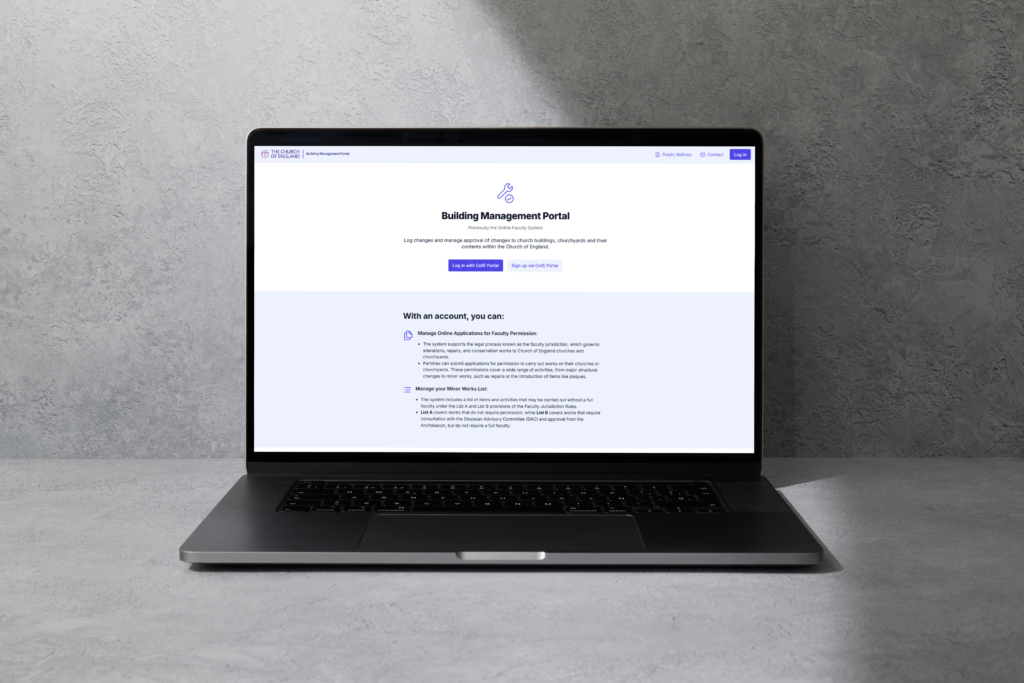
The Church of England is introducing the Building Management Portal, which will replace the Online Faculty System for applications relating to works on churches and churchyards, with a planned release date of 6th October 2026.
The existing faculty, List A, and List B processes are not changing. However, the new portal will provide a clearer and more intuitive way of preparing, submitting, reviewing, and managing applications.
All existing and historic cases from the Online Faculty System will be migrated into the new portal.
The new Building Management Portal has been designed to support people involved in developing, advising, and approving submissions for changes to church buildings.
System benefits and support
The new portal will make each stage of the application easier to understand and complete, particularly for those new to the process. Aspects of report writing and casework management will be automated, reducing the amount of time users spend developing, advising, and approving submissions.
Other improvements include an autosave function, a more clearly defined process to move cases forwards or back for review, version control for case files, and the ability to upload multiple files and larger document sizes.
The new portal will also connect other systems used by dioceses and the national Church to provide a single resource for general building management. Users will also be able to hold more than one role, removing the need for multiple logins. Access to the Building Management Portal will be through the Church of England portal (cofeportal.org).
Short tutorial videos will guide users through how to use the system. PDF guides will also be available.
Timeline
- 30th September Online Faculty System unavailable. Final export of data carried out
- 2nd – 5th October System migration
- From 6th October Building Management Portal available to users
Please note that the Online Faculty System and the Building Management Portal will be unavailable between 30th September and 6th October.
Registration
You will access the Building Management Portal through the CofE Portal via this link: https://cofeportal.org/dashboard
Please note old login details for the Online Faculty System will not work on the BMP and you will need to re-register. Guidance on how to register is available in video and pdf format below. Please only register for the new system once you need to open an application or if you are working on an existing application.
Training videos ·
Building Management Portal – Introduction on Vimeo
Building Management Portal Training Video – Registration and Account Management on Vimeo
Building Management Portal – List A Works on Vimeo
Building Management Portal Training Video – List B Works on Vimeo
Starting a Faculty Application | Videos & Movies on Vimeo
Standard Information Form | Videos & Movies on Vimeo
Petition Part 1 | Videos & Movies on Vimeo
Statements of Significance and Needs | Videos & Movies on Vimeo
Formal Consultation | Videos & Movies on Vimeo
Manually add churches to your profile | Videos & Movies on Vimeo
Guidance Documents
how_do_i_register_for_building_management_portal_user_guide.pdf
making_a_list_a_application_building_management_portal_user_guide.pdf
making_a_list_b_application_building_management_portal_user_guide.pdf
managing_my_account__building_management_portal_user_guide.pdf
What do I need to do to prepare for the changeover?
Nothing yet. To help avoid high demand on the launch date, we recommend logging into the new system when you are next ready to create a new case (or make a change to an open case), rather than all users attempting to access it immediately on 6th October. This will help spread demand and make the transition smoother for everyone.
We are here to support you throughout the changeover. Please bear with us during the week commencing 5th October 2026, as we will also be familiarising ourselves with the new system and processes.
Thank you for your patience and cooperation as we move to this new platform. Further information on the changeover can be found here: churchofengland.org/BuildingManagementPortal.
FAQs
What if I cannot see my church?
This may mean your account has not yet been linked to the correct role, church, or diocese, or that your access is still awaiting approval. Contact us with your email address, church, expected role, and details of what you can or cannot see.
What if I can see too many churches?
This may mean your role has been assigned too broadly. Contact us and explain which churches you can see and which church or churches you expected to access.
Will existing cases be moved across?
Existing and historic cases from the Online Faculty System will be migrated into the Building Management Portal. Dioceses will be asked to help check imported information during onboarding and testing.
Will training be provided?
Initial video and pdf guidance is available, and further material will be developed as rollout progresses. Some updates may follow after parish user feedback has been reviewed.
What should I report if something does not work?
Please provide us with your name, email address, role, diocese, church, case reference if relevant, what you expected to happen, what actually happened, and screenshots where useful.
If you have any questions that have not been answered above please email eliza.greenwell@dioceseofnorwich.org or nicholas.cannon@dioceseofnorwich.org